Bring workers into your team.
Review applications, send invitations and collect onboarding answers and documents.
 Get started
FOR WORKERS. FOR ORGANISATIONS.
Workers can discover recruitment agencies by postcode and apply for local vacancies. Agencies can recruit, onboard and schedule their teams with uJobs.
DESKTOP TO MOBILE
Your team sets the role, site and working hours on desktop. The worker sees those details in the mobile app.
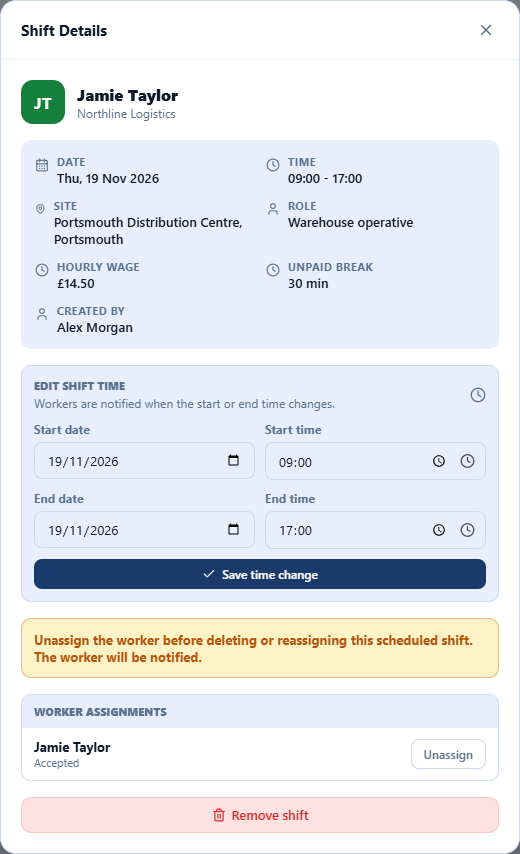
Keep the worker, client, site and hours together in the shift record.
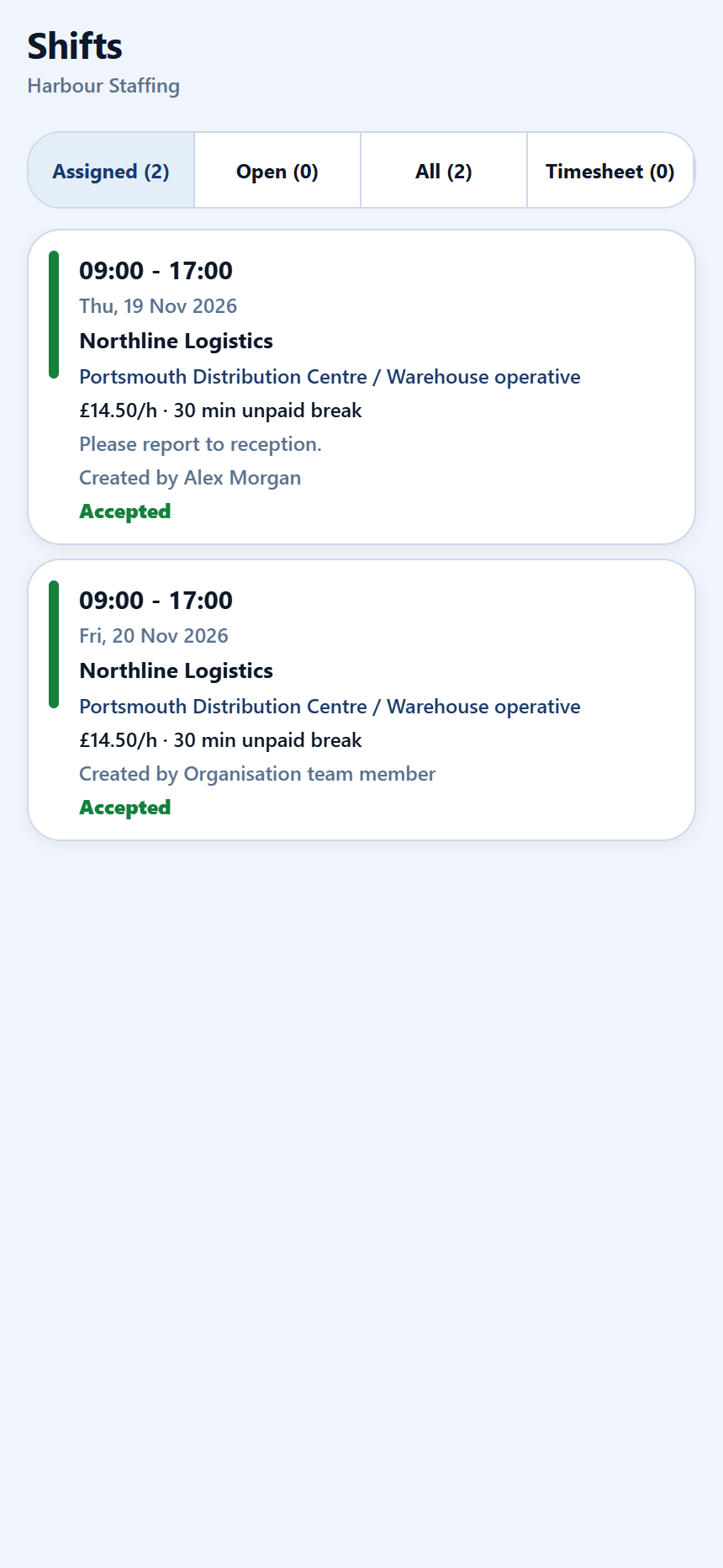
View the same role, location and start time without chasing the details.
Actual app screens using fictional people and organisations. Example shift: 19 November 2026.
FOR WORKERS
Search near home or somewhere new. Browse organisations, see their vacancies and apply from the app.
Find agencies by location and sector.
Explore openings and send an application.
Check assigned shifts and message your team.
FOR AGENCIES & EMPLOYERS
Invite your existing workers or receive new applications. Keep onboarding, clients, sites and day-to-day staffing in one account.
Review applications, send invitations and collect onboarding answers and documents.
Create shifts for your clients and sites. Assign workers and keep the schedule organised.
Review attendance evidence, check timesheets and approve payable hours.
WATCH THE PRODUCT
See how uJobs Organisation helps your team recruit, onboard workers and manage daily operations.
CHOOSE HOW YOU USE uJobs